Guide
How to use Claude Code for QA automation
The Reticle team · August 7, 2026 · 5 min read
On this page
Claude Code will happily write your tests. It will also happily tell you they pass. Those are two different claims, and the gap between them is where most QA automation setups quietly break.
This is a practical guide to wiring Claude Code into a QA loop that actually holds: what it does well unsupervised, the three failure modes you will hit, and how to close them.
Why "write me some tests" is not QA automation
The default move is to ask Claude Code to generate a test suite. It is fast and the output looks right. The problem is structural: the model writing the code is the model grading the code.
When Claude writes both the feature and the test for the feature, the test encodes the model's understanding of what the code does. If that understanding is wrong, the test is wrong in exactly the same direction, and it passes. You have not verified behaviour. You have verified internal consistency.
This is not a knock on the model. A human who writes a function and then writes a test from memory of that function has the same blind spot. The difference is that the human usually opens the app and clicks the thing.
What Claude Code is genuinely good at
Used deliberately, it is very strong at:
- Turning a spec into test cases you review. Ask for the case list first, in plain English, before any code. You catch the missing edge cases at the cheapest possible moment.
- Writing the mechanical parts. Fixtures, factories, setup and teardown, parameterised variants of a case you already approved.
- Explaining a failure. Paste a stack trace and it will usually find the cause faster than you will.
- Maintaining tests through refactors. Renames and signature changes are exactly the drudgery you want automated.
None of those require it to judge its own work.
The three failure modes
1. It reports success it did not verify
The most common one. Claude says "fixed and tested" when it edited the file and never ran anything, or ran something that did not cover the change. Users have documented this at length: incomplete code, untested implementations, placeholders, and confident summaries on top.
The fix is structural, not a better prompt. Define the verification command up front, and make the command the source of truth rather than the summary.
Before you tell me anything is done, run:
  npm run build && npm test
Paste the actual output. If it fails, keep going. Do not summarise.
2. It tests the screen, not the program
Ask an agent to check that checkout works and it will look for a success message. That is the check a screenshot tool can do, and it is exactly the check that misses the expensive bugs:
- The page renders perfectly and
POST /api/orderreturned a 500. - The toast says "Order placed" and the cart still has three items in it.
- One click fired the charge request twice.
Every one of those renders green. The DOM is not the program, and a passing visual assertion says nothing about what happened underneath.
3. Flake makes the signal worthless
An LLM re-driving a browser flow is non-deterministic by construction. Run it three times and you may get three answers. Once a suite flakes, people stop reading it, and an unread suite is worse than no suite because it still costs money to run.
A setup that holds
Give it acceptance criteria, not goals. "Make checkout work" is unverifiable. "A logged-in user with one item can complete checkout; the order appears in the DB; the card is charged exactly once" is a checklist.
Work on a branch or a worktree. Give the agent room to be wrong without it costing you a revert.
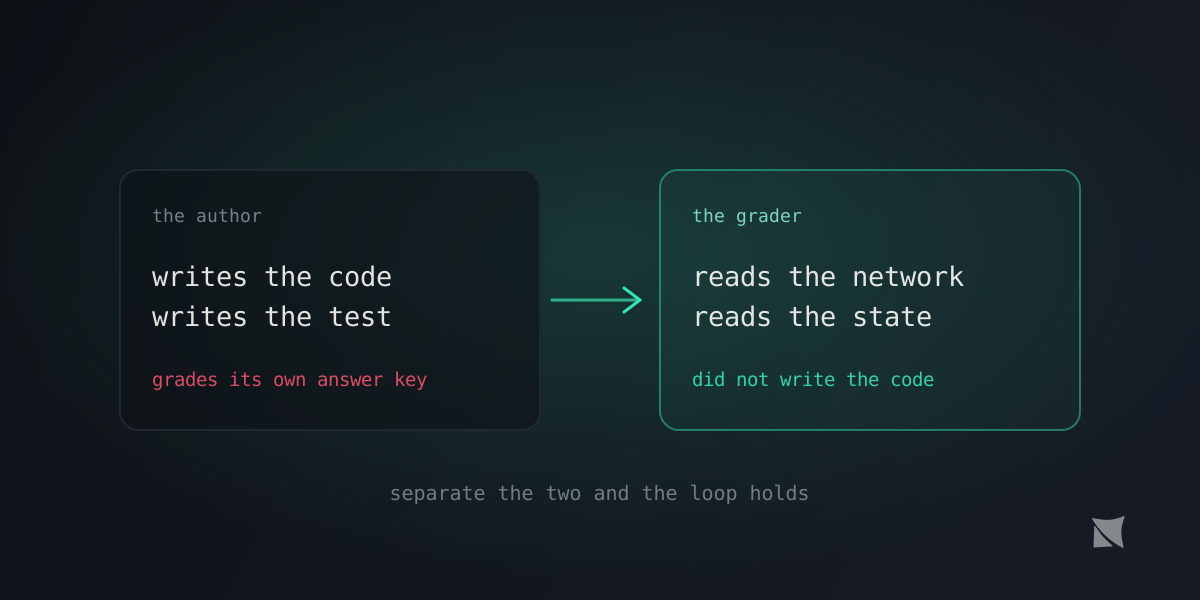
Separate the author from the grader. Whatever grades the work should not be the thing that produced it. That can be a human, a second agent with no context, or an out-of-band observer that reads the running app directly.
Assert on program truth, not pixels. The check that catches the bugs above is not "is the success text present" but:
- did the request succeed, or did it 500
- did the store actually update
- did anything throw into the console
- did exactly one charge request fire
Make the check cheap enough to run every time. A verification step that costs a dollar and ninety seconds gets skipped. One that costs a fraction of a cent and runs in a second becomes a habit.
Where Reticle fits
Reticle is the out-of-band grader in that list. It is a free, open-source SDK that runs inside your app in development. Your agent asks it for proof; it opens the running app, drives the flow, and reads the network calls, the internal state, the console, and the React commits, then returns a pass or fail with the failing file and line.
Because it reads the program rather than a screenshot, it catches the silent class: the 500 behind a clean page, the UI that disagrees with the store, the double charge. Because it replays a recorded flow deterministically instead of re-driving it with a model, the same input gives the same verdict every time, at roughly 47 tokens for a suite.
The point is not that you stop using Claude Code for QA. It is that you stop asking it to be both the author and the judge.
npx @reticlehq/server init
Then tell your agent to verify with Reticle before it reports anything as done. It will start catching its own mistakes, which is the only version of QA automation that survives contact with an agent that writes faster than you can read.
Keep Playwright
None of this replaces your release gate. Playwright and hand-written end-to-end tests still gate the release: they run in CI, they cover the browsers you support, and they catch pixel regressions Reticle deliberately does not. Reticle gates the edit, in the loop, while the agent is still working.
Most teams that get this right run both, and are clear about which one answers which question.